三 Projects / Suikō · 2026 · solo
Suikō
A daily Japanese writing practice app. You write a short entry, AI marks the mistakes and explains them, and you rewrite the sentences yourself.
三 Projects / Suikō · 2026 · solo
A daily Japanese writing practice app. You write a short entry, AI marks the mistakes and explains them, and you rewrite the sentences yourself.
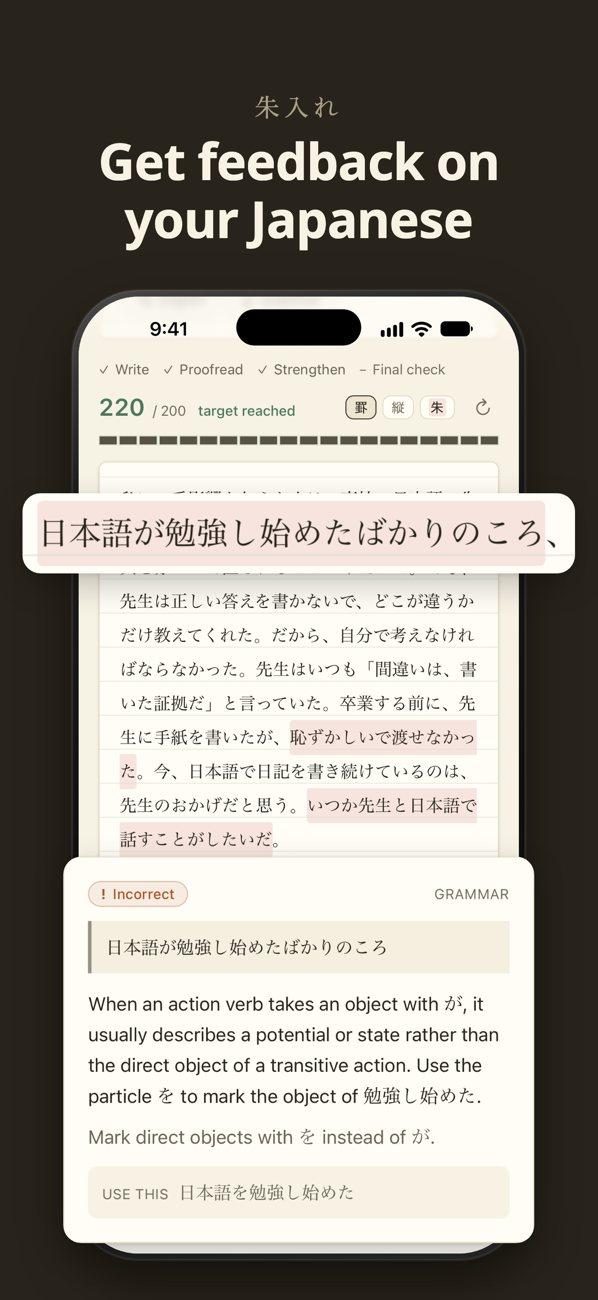
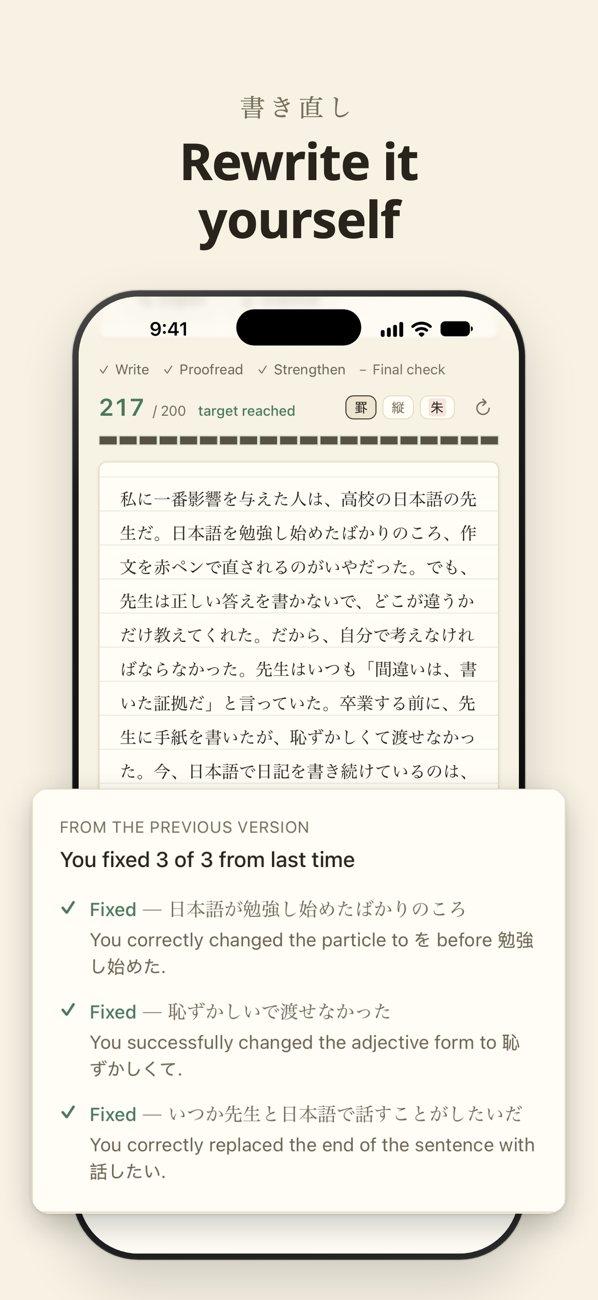
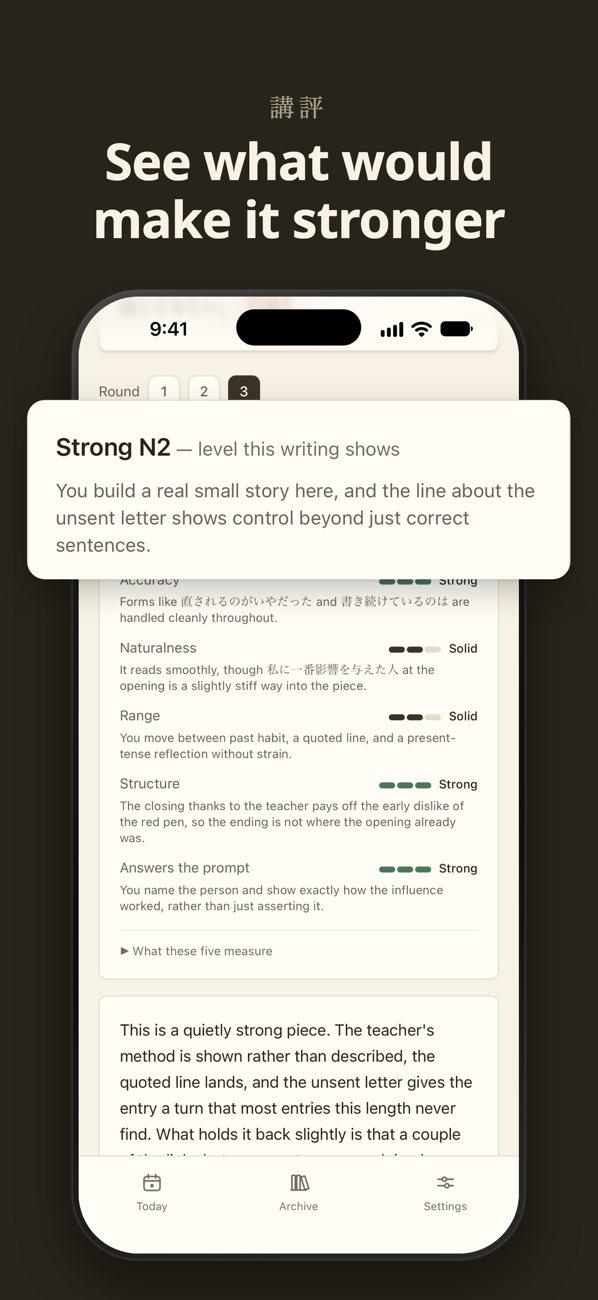
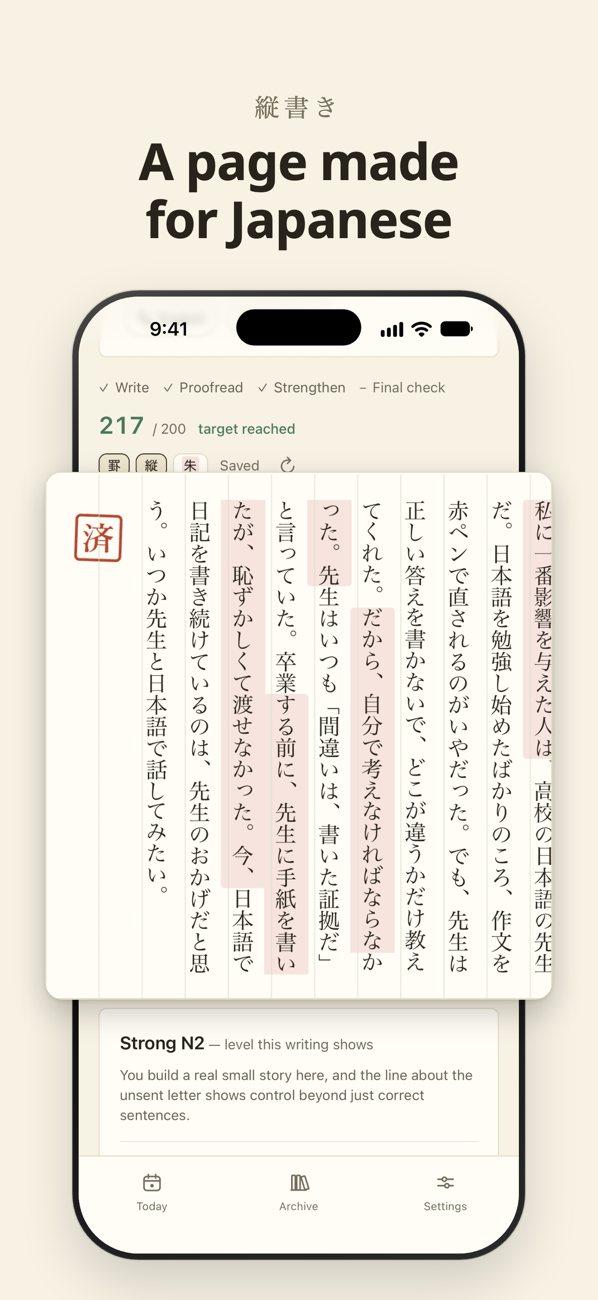
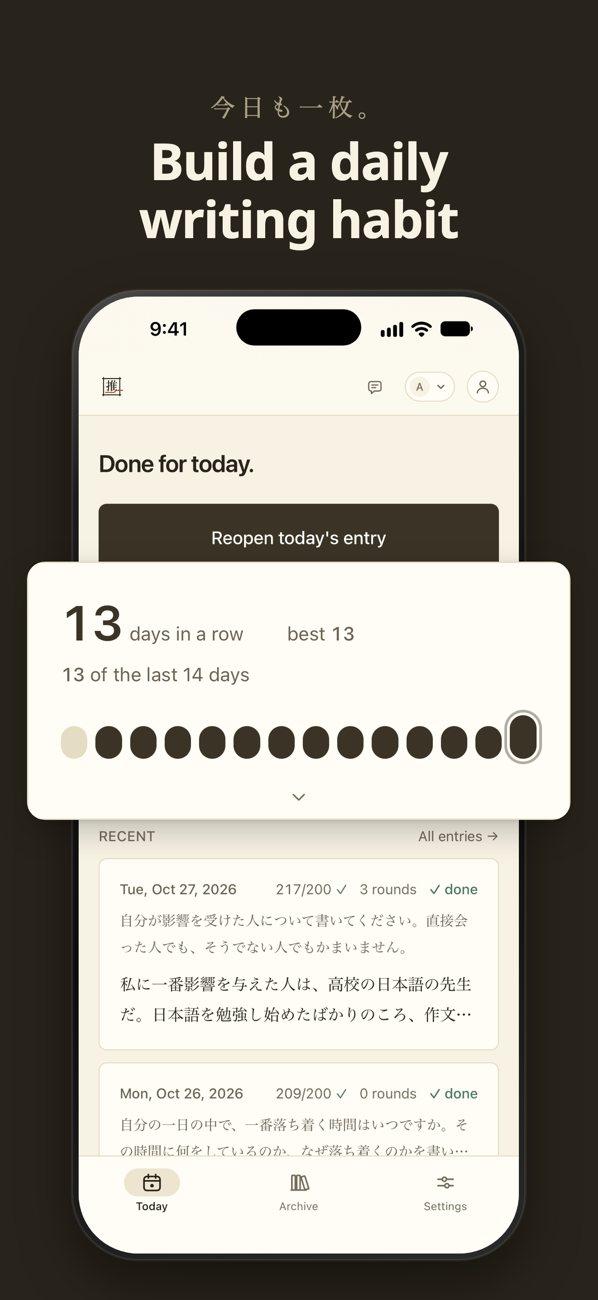
When I started Suikō I was studying Japanese full time in Tokyo: four hours of class a day, then reading, podcasts and Anki on my own. Reading and listening fit into a daily routine. Writing didn't. A diary entry in Japanese was something I only got to on days when I had motivation to spare.
When I did write, I checked the entry with an AI chat. It usually sent back a corrected paragraph. The entry was fixed, but I hadn't done the fixing, and I'd read the corrections once and move on. The entries ended up scattered across notes and chat threads.
I wanted three things: a reason to write most days, feedback that shows where each mistake is and leaves the fix to me, and one place that keeps every page and every draft. I built it for myself first, as a one-user app, and then opened it to other learners who can already write a few sentences on their own.
The name is 推敲, the Japanese word for revising prose. It comes from a Tang dynasty story about the poet Jia Dao, who was so absorbed in choosing between 推 (push) and 敲 (knock) for one line of a poem that he walked into a governor's procession. Revising your own sentences is the part of the practice the app is built around.
Each entry goes through six steps. Most of the learning happens in step 4.
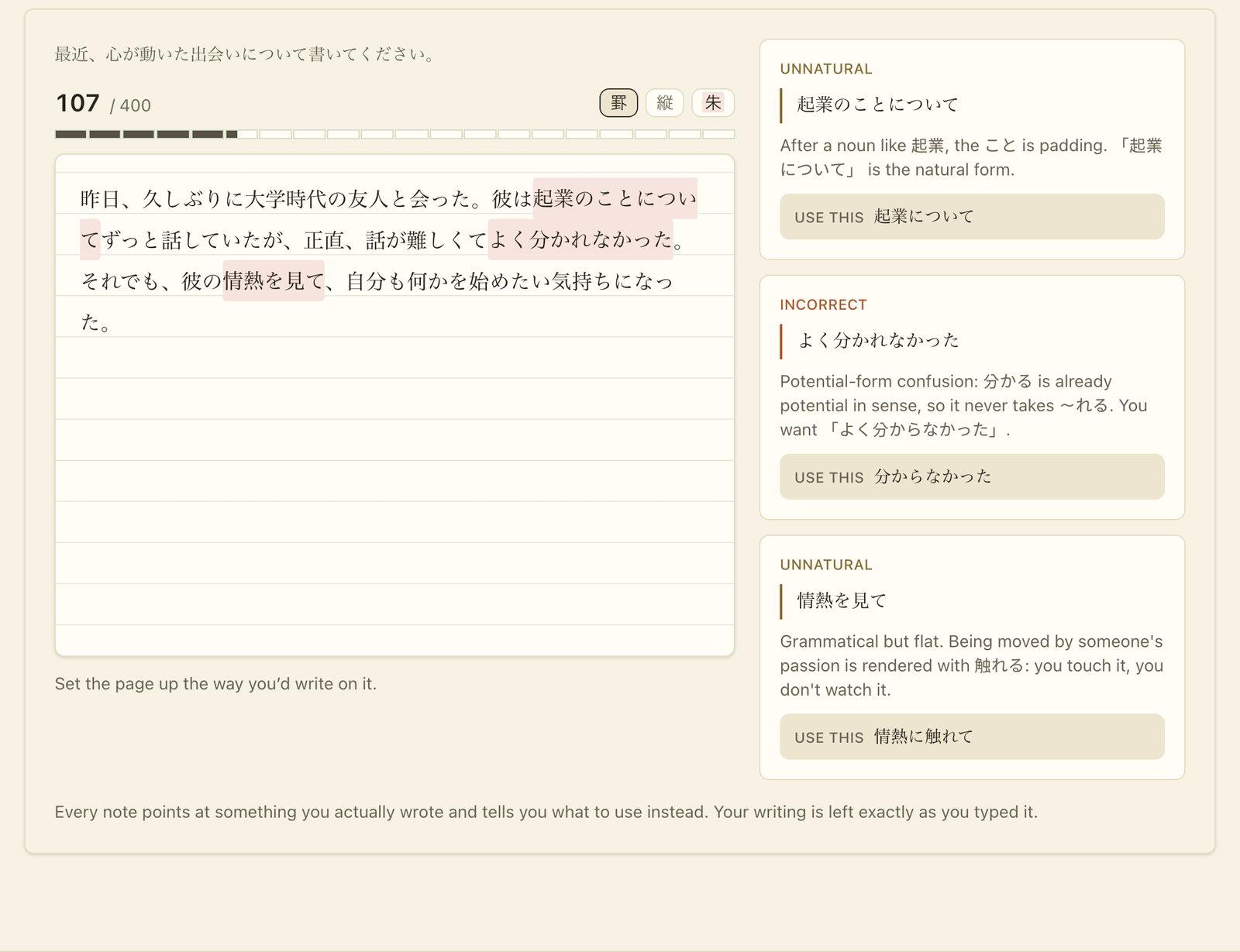 A marked page on suiko.ink. Each note points at the learner's own words.
Users fix their own mistakes.
The AI's feedback can point at a phrase, explain the problem and suggest what to use, but the app has no screen that shows the whole entry corrected. It's enforced in three places: the prompt says so, the output schema has no field for a rewritten paragraph, and a validator limits how long a suggested correction can be.
Fixing mistakes and improving correct Japanese are separate steps. When one model did both, learners got style suggestions mixed in with real errors, at the moment they were least able to act on either. Now they fix what's wrong first, and suggestions for stronger writing come once the page is correct.
| Step | Model | How often | Why it's set up this way |
|---|---|---|---|
| Proofreading | Gemini 3.5 Flash-Lite | Every round, about 4 per entry | Checks grammar, particles and word choice. It runs after every rewrite, so it uses a fast model: notes stream in as they're found, and the first one appears in about 2 seconds. |
| Editorial read | Claude Opus 5 | Once per entry, optional | Suggests how to make correct Japanese stronger. It's the hardest judgement in the product, so it gets the strongest model, and it runs only once the page is correct, when the learner can act on it. |
| Model version | Claude Sonnet 5 | Once, after the entry is finished | Shows how the model would have written the entry. It appears only after the learner has done their own rewriting, so it can't replace the practice. |
The app checks every response before the learner sees it, so learners aren't told something false about their own writing:
I chose each model with side-by-side tests on my own real entries.
The grader. I ran Claude Opus 5 and Claude Sonnet 5, each at medium and low reasoning effort, on three real entries, and marked every note without knowing which setup wrote it. All 77 notes were useful and none were wrong about the Japanese. The difference was coverage: Opus caught 85% of all the issues any setup found, and Sonnet caught 52%. Reasoning effort made no measurable difference. Running five more entries through the real pipeline, low effort was 40% cheaper per round ($0.068 against $0.113) and took 28 seconds instead of 63. A minute-long wait, several times a sitting, is hard to sustain as a daily habit, so I use low.
The cost problem. Opus was the better grader but cost too much to run every round. Over full entries it came to $0.22 per finished page against $0.12 for Sonnet. At my own usage, about 35 entries a month, Opus would have cost more than a $9 subscription brings in after Stripe fees.
So I split the work in two. Repeated proofreading moved to a small, fast model, and Opus runs once per entry on the editorial read. That's also where it was most different from Sonnet: in the blind test, 42% of Opus's notes looked beyond the quoted phrase, against 21% of Sonnet's.
The proofreader. I compared three small models on the same three entries, with the same prompt, schema and validation, and ran the test twice:
| Model | Cost per call | Total time | Time to first note |
|---|---|---|---|
| DeepSeek V4 Flash | $0.0007–0.0009 | 8.4–11.0s | 2.6–3.3s |
| Gemini 3.1 Flash-Lite | $0.0018–0.0019 | 5.5–6.2s | 3.4–3.9s |
| Gemini 3.5 Flash-Lite | $0.0028–0.0030 | 4.8–5.2s | 2.0–2.4s |
The cost difference worked out to about 30 cents a month, so cost didn't decide it. I moved to Gemini because its API enforces the output schema, and picked 3.5 Flash-Lite because it was the fastest to show the first note, which matters most while a learner is waiting. In production the first note now appears in about 1.8 seconds. I couldn't tell the three apart on quality in these runs.
The biggest risk is the AI marking correct Japanese as wrong. Learners can't always tell, so they end up changing sentences that were fine.
Learners can give any note a thumbs-down. I review each one and label it:
Each real mistake becomes a regression test, written with fresh text, that I rerun after any prompt or model change. The app also logs the cost of every AI call.
One case I track: the sentence 「N2はほぼ満点を取りました」 is correct, but Gemini models flagged it five times across four runs, each time with a different wrong explanation. DeepSeek never flagged it.
Next, I'm building a hand-marked answer set so every model can be scored against the same ground truth, starting with false positives.